






Hello out there – – I’ve been tweaking my blog sizes so I can fit the pictures on as “x-large” if I want (have you noticed – there’s such a jump from “large” to “x-large” – I wish there was a “mid-large” option – anyone want to relay that message to blogger for me?? while you’re at it, I have the same issue with the text sizes “normal” and “large” – such a jump!)
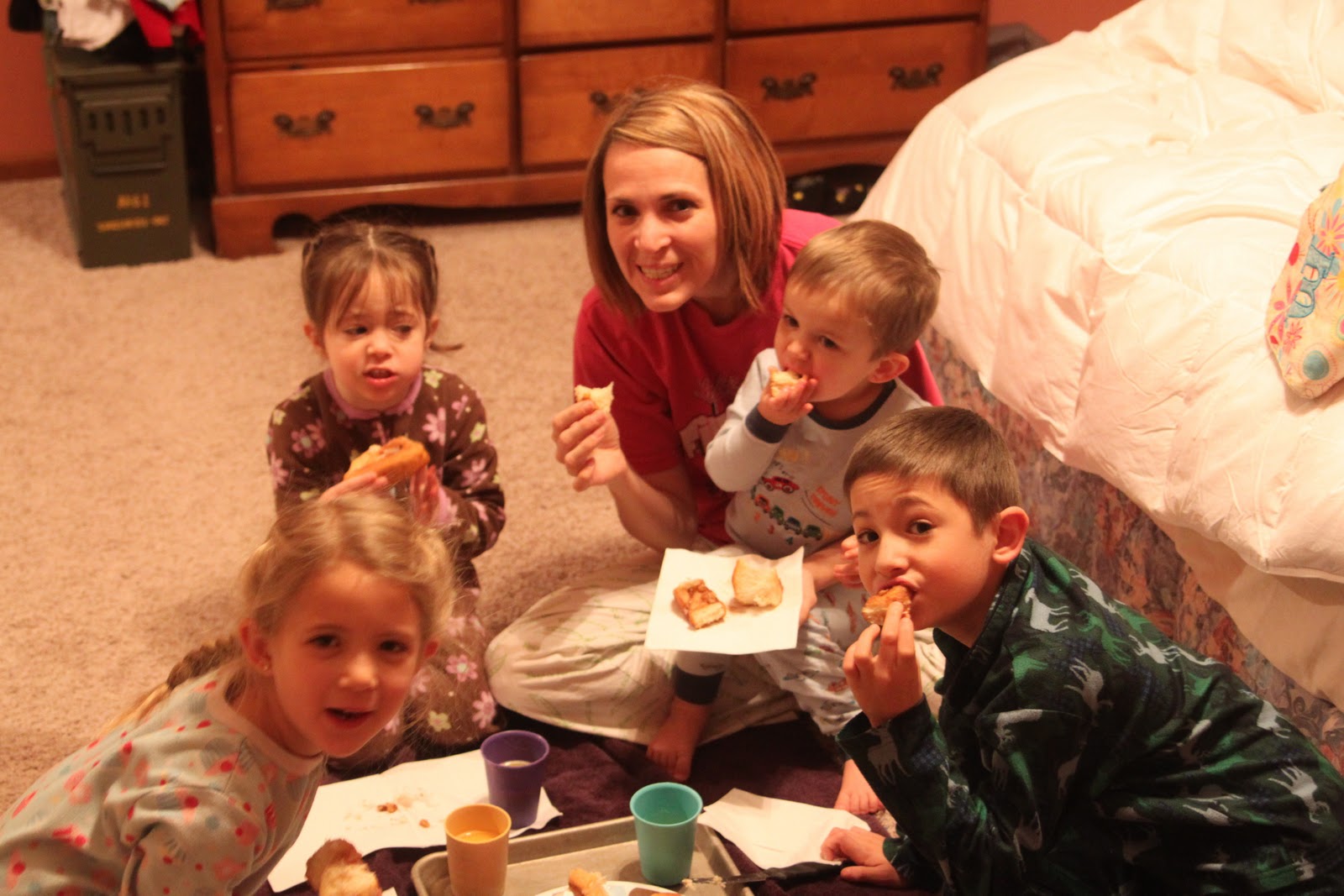
Here’s an extra-large picture (we eat breakfast Christmas morning upstairs in our bedroom to prolong the Santa anticipation – love it!) – I got it to fit, but I had to stretch all the white space on my blog.
So, can you tell me, am I cutting any of you off?? I still see plenty of the turquoise dot background, but I know on my mom’s computer she sees less than me – is there anyone out there who’s screen can’t view the whole main-area (where I write the posts, with a white background) on my blog?? thanks in advance for the input – – –



I started using Windows Live Writer, and it is way way better than writing a post in blogger. It’s free-just download it off the internet. (Google it-that’s what I did) The pictures upload a lot faster, you can resize the picture by dragging the arrows, you can use any font on your computer, sized to whatever size you want, etc. I can’t believe I waited so long to try it. Try it, and you’ll be hooked!
Good luck! Love your blog.
Love the pic! I see the dots only at the top , otherwise it is white space. But I do see the whole pic and post.
Tracie
I see everything, including a good inch and half on both sides of blue. 🙂
everything looks good here. I see everything and the blue polka dot border too. You’re good to go
I use a netbook and I can only see 2/3 of the last column. I can only just see the whole picture as well – the top/bottom is slightly cut-off.
I’m trying out Livewriter too – haven’t posted with it yet.
I use an Acer- a small laptop. I see the dots when the page loads, but then is goes to the white background. And then they are only at the top. I do see your entire post, however, now I have to scroll to see your furthest buttons. No biggie to me.. it’s not like I will stop stalking you just because I have to scroll! 🙂
I see the dots on both sides and the top 🙂 What a fun idea to eat breakfast in the bedroom!
You are good to go, My Dear! I use the X-large images too. My main blog area is set to 700 and they fit perfectly. It looks like you have a pretty big padding set on your left hand side. Reducing it might help free up a little space. 🙂
I can see them just fine 🙂
I see it all! 🙂
I don’t see your background border on my work computer, but do at home (difference in monitor size). I Love bigger pictures, and on your blog even with the smaller monitor I can still see/access both the main posts and the links on the left.
~Kimberlee
http://www.TheSpunkyDiva.com
yep, i can see it. looks really cute, cute pic too!
I can see your whole white background and posts, but only turqouise dots along the top (not on the sides or bottom).
I can see the dots on both sides.
Everything is fine on my computer. Isn’t it weird that it’s fine on some and not on others?
I don’t see dots on the sides, just a tiny bit on the top.
I want to use the x-large pics too! I may have to play around and see what I can come up with!
I can see all dots! 🙂
I see dots 🙂 But I also see that you were piecing the background picture (adding a little bit on the right, couseone row of the dots is not dots any more).
🙂
I see dots on both sides.
I see your dots on both sides.
Happy New Year!
I can see the dots on both sides and the pictures are gorgeous. I agree, the sizing should have a middle ground 🙂
I can see it all. I was told to use percents in the html to change it, rather than a fixed size… I have not tried this. But I notices when I was tinkering around that the new template designer uses percents. This is actually on my list to “fix” all of this on my blog…
Hi! I can see your entire blog perfectly! Love what I see too!! Looking forward to popping in here a lot!
You can pop in at my blog too if you like-
http://www.veronicahurly.blogspot.com
Happy 2011!
I can see everything just fine!
I can see it all!