



Today we’re going to talk about the most common modes on cameras! This information will be in your camera’s manual but, let’s be honest, many of you probably haven’t pulled the manual out yet.
Hopefully, after todays post, you will have a better understanding of it’s settings, which then means you will be able to have a little more fun with it!
Automatic Modes
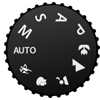
 When using Auto mode your camera calls all the shots. Your camera is using it’s best judgment to select your shutter speed, ISO, aperture, focus, white balance and it also decides whether or not to fire the flash. You can often get great pictures using auto mode but they often may not be exactly what you are looking for as your camera used IT’S best judgment and had no idea what type of picture you are taking.
 Portrait Mode
Portrait mode is best when shooting close up images of someone. When portrait mode is selected your camera automatically has a large aperture (lower number) so that your subject is the focus of the picture and the background is more blurred and out of focus (narrow depth of field).
 Macro Mode
This mode is great if you are taking pictures of small things like flowers or bugs. Your camera will set a VERY narrow depth of field (large aperture), meaning it’s aperture number is low and very little will be in focus. You will want to hold very still or use a tripod when using macro mode.
Landscape Mode
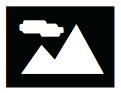
This mode is great for pictures of scenery, like mountains or sunsets. When using this mode your camera will select a small aperture (larger number) so that you have a large depth of field which means that a lot of your scene will be in focus. If you don’t have sufficient light in this mode, your camera may lower your shutter speed and cause blur unless your are perfectly still and using a tripod.
 Action Mode
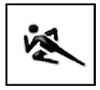
This mode is used for “action shots” or shots of moving objects like someone playing sports, moving cars, animals, etc. When using this mode your camera speeds up your shutter speed so that your subject can be “frozen” in your shot.
 Night Mode
This mode is used for darker, low-light situations. Unless you are wanting a blurred look (sometimes people are going for that), you will want to use a tripod to hold your camera still as your camera is set to a slow shutter speed, this will help keep your image more focused.

Video Mode
Some cameras have this feature. This is to record videos on your camera.
Semi-Automatic Modes
Aperture Priority Mode AV
This is a semi-manual mode. You choose where you want your aperture (how much you want to be in focus) and your camera adjusts the rest (ISO, shutter speed, white balance, etc) to help you get the proper exposure. Aperture is the opening in your camera when taking a picture. Lower aperture numbers mean that the opening is larger and you’re letting more light in and you have a narrower depth of field (less is in focus). Higher aperture numbers mean that the hole is smaller and letting less light in and you have a wider depth of field (more is in focus).
Shutter Priority Mode TV or S
This is another semi-manual mode but this time you are selecting how fast you want your shutter to go and your camera adjusts the rest (ISO, aperture, white balance, etc) to help you get the proper exposure. For moving objects that you want to “freeze” in your image you will want a faster shutter speed. For a still object your shutter won’t need to be as fast. If you are shooting in low light or you would like your subject to be blurred (like a waterfall) you will want a slower shutter speed.
Program Mode P
This mode is offered on some cameras in addition to Auto Mode. Program mode is different on different cameras so I suggest you read your manual to learn its capabilities. Program mode is very similar to auto mode but when using program mode you have a little more control…. your camera chooses most of your settings but you can adjust your flash, white balance, and ISO.
Fully Manual Mode
Manual Mode M
When manual mode is selected you have complete control over all your camera settings (aperture, shutter speed, ISO, white balance, flash, etc). This is when photography really gets fun.
There you have it!
There you have it!
A basic explanation of all of the most common camera settings.
Now go out there and give them a try!
Have some fun!
And be sure to visit me over on the Dancing Toad blog and let me know how it’s going!
-Lizzie

Thanks for checking out this post from www.SugarBeeCrafts.com – – click on over to read it in its entirety – you’ll love it!