



YES, that title says GIVEAWAY – get excited – that’s on down….
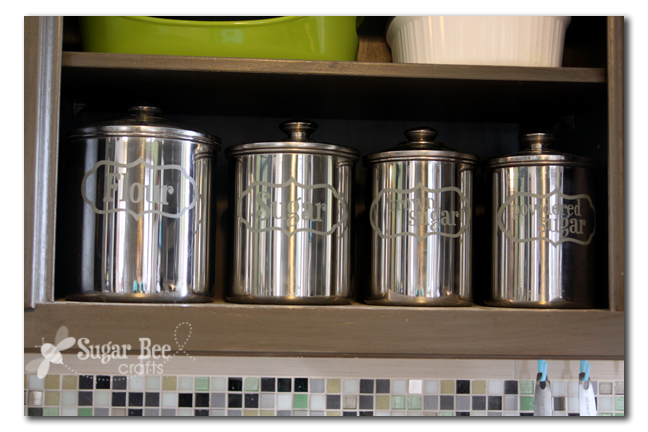
I know I’ve told you a million times – I love my Silhouette – you can see lots of my projects here: Awesome Projects using a Silhouette Machine. Just yesterday I cranked out some labels for my canisters – I love how I can think of something I want to do and just get it done. These look great, but I shined them up TOO much – it made for tricky picture-taking!
before I show you more too-shiny pictures, a heads up, it’s promotion time at Silhouette:

let’s here all about that and see more pictures…and let you know about a GIVEAWAY that you won’t want to miss….
The promotion runs from today through March 8th, and it’s for either the Silhouette Designer Software that’s normally $50 (only $25 – this is for you that already have a machine) or for a machine that COMES WITH the Designer Software – awesome:
–Portrait with Designer Software, $179.99
–Cameo with Designer Software, $269.99
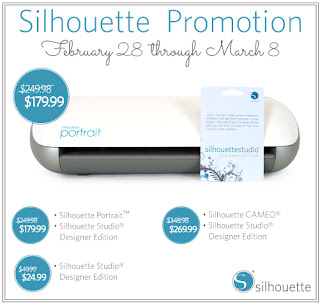
To get that deal, you’ll go to go HERE and use the code SUGARBEE at checkout.
It is easy to install the software – – there’s a button in the regular software that walks you through upgrading. The 2 things I’m most excited about:
—making my own rhinestone shapes! normally you can’t resize rhinestone shapes, but with software you can take any size of shape and make it into a rhinestone template.
—the cross-hatch ruler – I use scrap pieces on my cutting mat a lot, and I’m always trying to reveal the cutting mat and then counting squares, etc – – with this software as I move my mouse there’s a ruler on either side indicating exactly where I am – it’s awesome.
Other features:
- Ability to open, manipulate, and cut .svg files
- Rhinestone tools to convert designs into rhinestone templates and create your own rhinestone designs
- Sketch tools to convert designs into several styles of sketchable art
- Creative knife tools to allow you to clip designs using different patterns
- Enhanced eraser set to modify designs with more precision
- Built-in ruler and guide lines for precise alignment and drawing
And if you want to see it in action (like I did) here’s a quick video link.
Oh, and more pictures of my canisters:
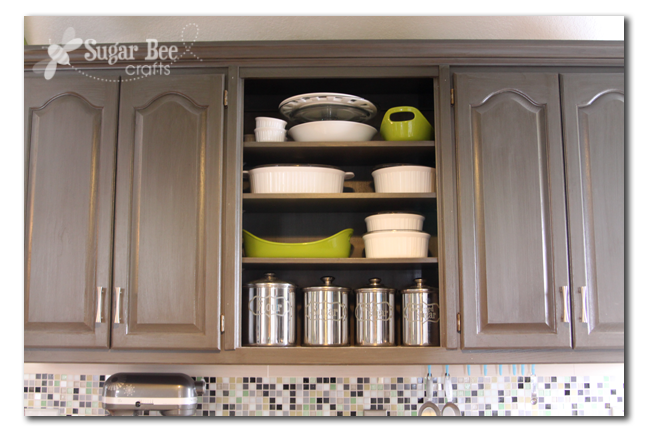
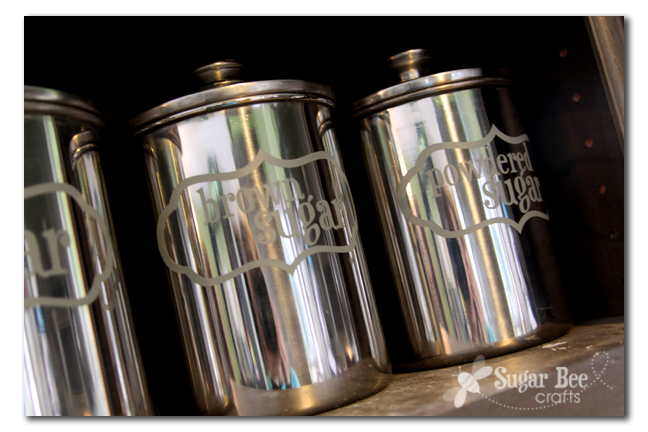
They needed spiffing up because they’re on display for the world to see. Love them!
Coming up later, a tutorial on this awesome shirt…I used my Silhouette for the Pi Stencil:

And – – the GIVEAWAY – – one lucky person will win a Silhouette Portrait!!
to enter, use the rafflecopter below (giveaway ends March 4th, so enter quickly!)
a Rafflecopter giveaway



I love your blog! I’m so excited for a chance to win the Silhouette!!!
Why do I always have to “click to read more” on your blog posts now? I’ve quit reading them.
i am new to your blog and am really enjoying it. i am really excited about this for i have wanted one of these for a couple of years now. thanks/chance.
Wow! Love the canisters and would love the chance to win. Thank you!
I love your canisters. I will have to check out your other projects using the Silhouette.
The canister are great!
Love how it gives it a little something extra without dimming the shine. Great project.
This comment has been removed by the author.
My rafflecopter didn’t up until I posted — and now it’s disappeared again!
Not seeing the Rafflecopter…would love to win this Silhouette!
Not seeing the Rafflecopter either and would love a chance to win.
Can you see it now?? It seems to be working from my end…
Duh! I could totally just use my Cameo to label my canisters vs. painstakingly stenciling them. Thanks for the reminder, Mandy 🙂
I have a cricut ..but Im dying to get a cameo…its on my wish list one!..TFS!
I don’t see the rafflecopter, but would LOVE to win a Silhouette!!
I just wanted to say thankyou for the win! Stephanie T.